
This guide explains how to integrate Fiddler with an existing Ping Identity SSO application using SAML.Documentation Index
Fetch the complete documentation index at: https://handbook.fiddler.ai/llms.txt
Use this file to discover all available pages before exploring further.
Ping Identity Setup
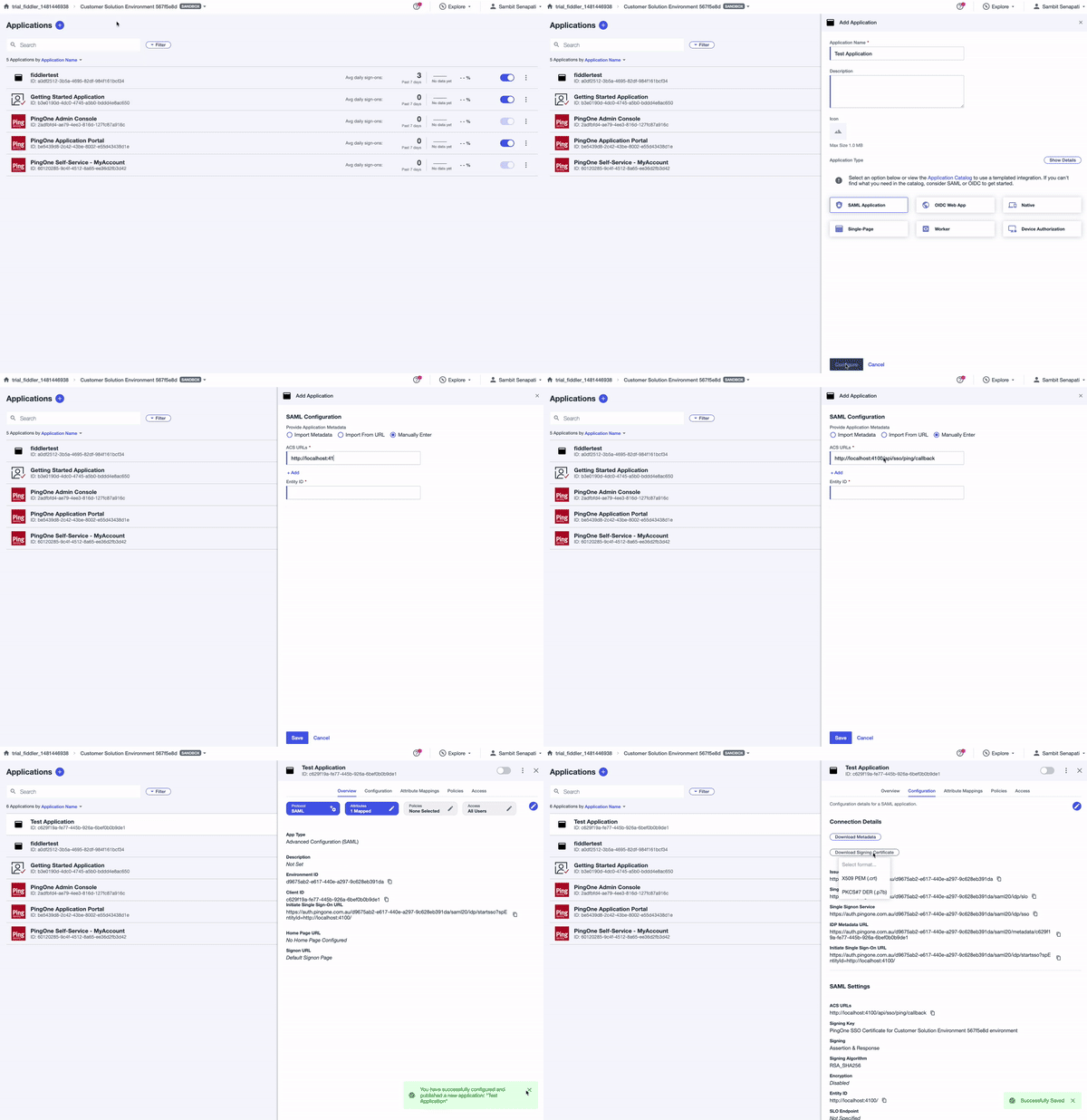
- Create a new SAML integration application with following properties:
- ACS URL: <https://deployment\\_name/api/sso/ping/callback>
- Entity ID: <https://deployment\\_name/>
- Set Signing property to Sign Assertion and Response .
Deployment Instructions
- Create a
<secret_filename>.yamlfile using the following template.
All the values must be base64 encoded.On Mac OS X, you can run
echo -n "string to be encoded" | base64 to get the encoded value.- Update the Kubernetes secret in the namespace of the cluster using the above file.
- Update the Helm variables below.
Once the deployments are updated, the new SSO settings will be applied.